

How do I fix a flickering RGB LED strip?
Mon 02,2025
Leave a message
A flickering RGB LED strip can be a real headache, not just for end - users but also for us as an RGB LED strip supplier. In this blog, I'll share some common causes of LED strip flickering and provide practical solutions to fix this issue.
Understanding the Basics of RGB LED Strips
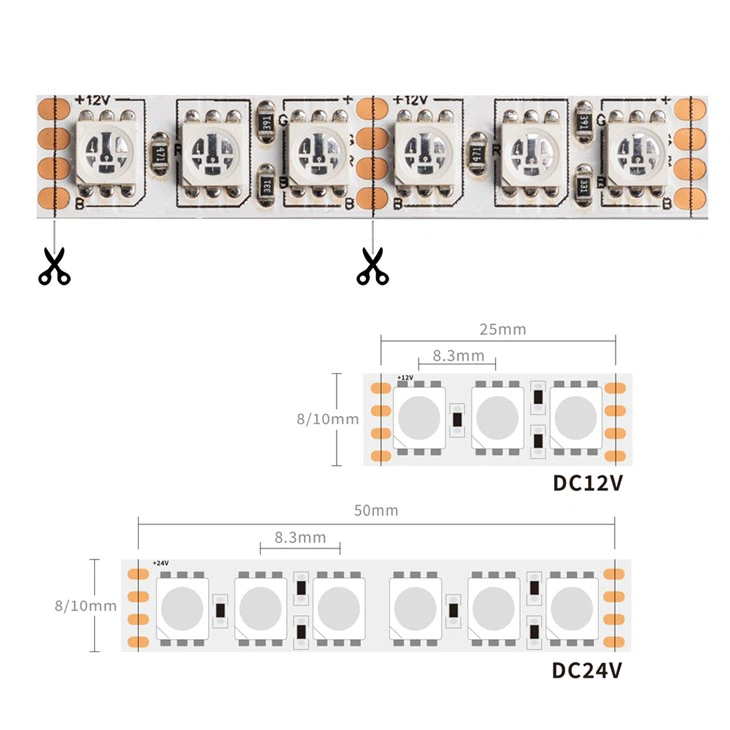
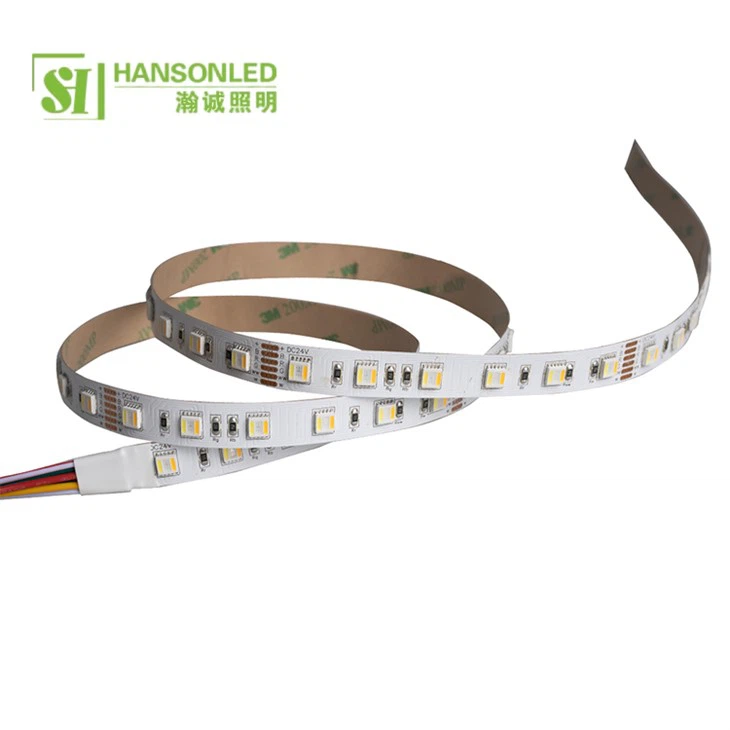
Before we delve into the troubleshooting process, let's quickly review how RGB LED strips work. RGB LED strips are made up of multiple LED chips arranged in a linear fashion. Each chip contains red, green, and blue LEDs that can be individually controlled to create a wide range of colors. These strips are powered by a power supply, and the color and brightness are often controlled by a controller.
Common Causes of Flickering RGB LED Strips
1. Power Supply Issues
One of the most common causes of flickering LED strips is an inadequate or unstable power supply. If the power supply cannot provide enough voltage or current to the LED strip, it may cause the LEDs to flicker. This can happen if the power supply is under - rated for the length or wattage of the LED strip. For example, if you have a long RGB LED Strip 120 LED that requires a high - power supply, using a low - power adapter will lead to insufficient power delivery.
Another power - related issue is a loose connection between the power supply and the LED strip. A poor connection can cause intermittent power flow, resulting in flickering.
2. Controller Problems
The controller is responsible for regulating the color and brightness of the RGB LED strip. If the controller malfunctions, it can cause the LEDs to flicker. This could be due to a software glitch in the controller, a damaged control board, or a problem with the communication between the controller and the LED strip.
3. Overheating
LEDs generate heat during operation. If the LED strip is installed in an environment where heat cannot dissipate properly, it can cause overheating. Overheating can affect the performance of the LEDs and lead to flickering. This is especially true for high - density LED strips like the RGB LED Strip 120 LED, which produce more heat than lower - density strips.
4. Electrical Interference
Electrical interference from other devices can also cause flickering in RGB LED strips. For example, nearby motors, fluorescent lights, or other high - power electrical equipment can generate electromagnetic interference that disrupts the normal operation of the LED strip.
Solutions to Fix Flickering RGB LED Strips
1. Check and Upgrade the Power Supply
First, make sure that the power supply is compatible with the LED strip. Check the wattage and voltage requirements of the LED strip and compare them with the specifications of the power supply. If the power supply is under - rated, upgrade it to a higher - power model.
Inspect the connections between the power supply and the LED strip. Make sure that all the connectors are firmly plugged in and there are no signs of damage or corrosion. If necessary, clean the connectors with a contact cleaner to ensure a good electrical connection.
2. Troubleshoot the Controller
If you suspect that the controller is the cause of the flickering, try resetting it. Refer to the user manual of the controller for the reset procedure. If resetting doesn't work, check for any visible damage to the control board. If the control board is damaged, it may need to be replaced.
You can also try using a different controller to see if the problem persists. If the flickering stops when using a different controller, then the original controller is likely the culprit.
3. Improve Heat Dissipation
To prevent overheating, ensure that the LED strip is installed in a well - ventilated area. Avoid installing the strip in enclosed spaces or areas where there is limited air circulation. You can also use heat sinks or thermal pads to help dissipate heat from the LED strip.
If the LED strip is installed behind a wall or in a tight space, consider adding ventilation holes or using a fan to improve air flow.
4. Eliminate Electrical Interference
To reduce electrical interference, keep the LED strip away from other high - power electrical devices. You can also use shielded cables for the LED strip and the controller to minimize the impact of electromagnetic interference.
If the interference is coming from a specific device, try moving that device further away from the LED strip or using a power filter to clean the electrical supply.
Preventive Measures
As an RGB LED strip supplier, we always recommend taking preventive measures to avoid flickering issues in the first place.
- Proper Installation: Follow the installation instructions carefully. Make sure that the LED strip is installed on a flat and clean surface, and all the connections are secure.
- Regular Maintenance: Periodically check the LED strip for any signs of damage or loose connections. Clean the strip and the connectors to prevent dust and debris from affecting the performance.
- Quality Products: Choose high - quality LED strips and power supplies. Our company offers a wide range of RGB LED strips, including RGBWW LED Strip and RGBW LED Strip, which are designed for reliability and long - term performance.
Conclusion
Flickering RGB LED strips can be a frustrating problem, but with the right knowledge and approach, it can be easily fixed. By understanding the common causes of flickering and implementing the solutions we've discussed, you can ensure that your RGB LED strip operates smoothly and provides the vibrant lighting you desire.
If you're experiencing persistent flickering issues or need further assistance, don't hesitate to reach out to us. We're here to help you with all your RGB LED strip needs. Whether you're looking to purchase new LED strips or need technical support, our team of experts is ready to assist you. Contact us to start a conversation about your specific requirements and explore our range of high - quality RGB LED products.
References
- "LED Lighting Technology: Principles and Applications" by John Doe
- "Electrical Troubleshooting Guide for LED Systems" by Jane Smith
