

How to connect an RGB LED module to a Bluetooth controller?
Tue 30,2025
Leave a message
Hey there! As an RGB LED module supplier, I often get asked about how to connect an RGB LED module to a Bluetooth controller. It's a pretty cool setup that can give you a lot of control over your lighting, and I'm here to walk you through the whole process.
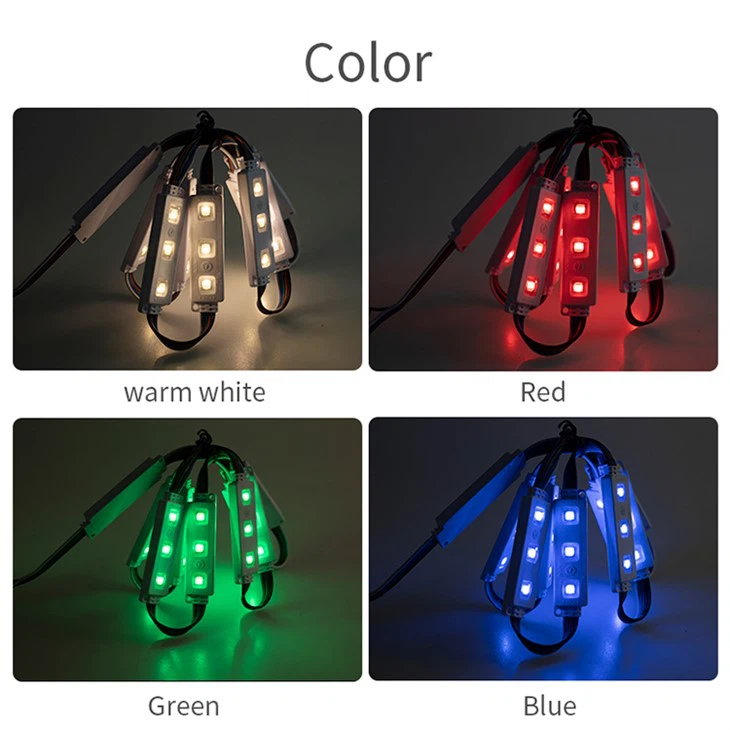
First off, let's talk about the RGB LED modules we offer. We have a variety of options, like the RGB 3 LED Module, the RGBW LED Module, and the Led RGB Module. Each of these has its own features and uses, but the basic process of connecting them to a Bluetooth controller is quite similar.
What You'll Need
Before you start, you'll need to gather a few things:
- An RGB LED module: You can choose from our range of modules depending on your needs.
- A Bluetooth controller: Make sure it's compatible with your RGB LED module. Most modern controllers are designed to work with a wide range of modules, but it's always a good idea to double - check.
- Wires: You'll need some wires to connect the LED module to the Bluetooth controller. The number and type of wires depend on the specific module and controller you're using.
- Power supply: RGB LED modules usually require a specific power supply. Check the specifications of your module to ensure you're using the right one.
Step 1: Understand Your RGB LED Module
The first step is to understand the pinout of your RGB LED module. Different modules may have different pin configurations. Generally, you'll have pins for the red, green, and blue LEDs, as well as a ground pin. Some modules, like the RGBW LED Module, may also have an additional pin for white.
Take a look at the datasheet of your module. It will provide detailed information about the pinout and the voltage requirements. This is crucial because connecting the wires incorrectly can damage the module or the controller.
Step 2: Prepare the Bluetooth Controller
Next, you need to get your Bluetooth controller ready. Turn it on and put it in pairing mode. This usually involves pressing a specific button on the controller for a few seconds until the indicator light starts flashing. This indicates that the controller is ready to be paired with a device.
Step 3: Connect the Wires
Now it's time to connect the wires between the RGB LED module and the Bluetooth controller. Here's a general guide on how to do it:
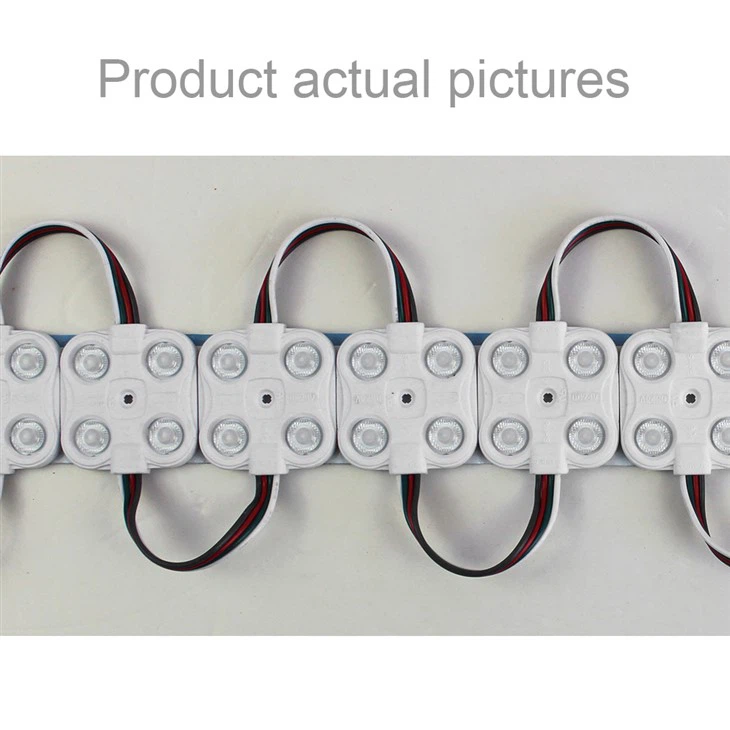
- Ground Connection: Connect the ground pin of the RGB LED module to the ground pin of the Bluetooth controller. This is usually represented by a black or brown wire.
- Color Connections: Connect the red, green, and blue pins of the LED module to the corresponding pins on the Bluetooth controller. The red pin is often connected to a red wire, the green to a green wire, and the blue to a blue wire.
If you're using an RGBW LED Module, connect the white pin to the appropriate pin on the controller as well. Make sure the connections are secure. You can use soldering or wire connectors to ensure a good electrical connection.
Step 4: Power Up the System
Once the wires are connected, it's time to power up the system. Connect the power supply to the RGB LED module according to its specifications. Be careful not to exceed the maximum voltage or current ratings of the module.
If everything is connected correctly, the LED module should light up. You may see a default color or a blinking pattern, which indicates that the module is receiving power.
Step 5: Pair the Bluetooth Controller
Now, use your smartphone or another Bluetooth - enabled device to pair with the Bluetooth controller. Open the Bluetooth settings on your device and search for available devices. Select the name of your Bluetooth controller from the list of available devices and follow the on - screen instructions to complete the pairing process.
Step 6: Test the Setup
After pairing, open the app associated with your Bluetooth controller. Most Bluetooth controllers come with a dedicated app that allows you to control the RGB LED module. You can change the colors, adjust the brightness, and even create different lighting effects.
Try out different settings to see how the RGB LED module responds. If you're having trouble getting the module to change colors or if it's not responding correctly, double - check your connections and make sure the app is configured correctly.
Troubleshooting
Sometimes, things don't go as smoothly as planned. Here are some common issues and how to fix them:
- No Power: If the LED module doesn't light up at all, check the power supply. Make sure it's plugged in correctly and that the voltage is within the acceptable range. Also, check the connections between the power supply and the module.
- Incorrect Colors: If the colors are not showing correctly, check the wire connections. You may have mixed up the red, green, or blue wires.
- Pairing Issues: If you're having trouble pairing the Bluetooth controller with your device, try restarting both the controller and your device. Make sure the controller is in pairing mode and that your device's Bluetooth is turned on.
Benefits of Using an RGB LED Module with a Bluetooth Controller
Using an RGB LED module with a Bluetooth controller offers several benefits:
- Convenience: You can control the lighting from your smartphone or other Bluetooth - enabled device. No need to be near the controller to make changes.
- Customization: You can create a wide range of colors and lighting effects. Whether you want a soft, warm light for a relaxing atmosphere or a bright, colorful light for a party, you can easily adjust it.
- Energy Efficiency: RGB LED modules are generally more energy - efficient than traditional lighting sources. You can save on your energy bills while still enjoying high - quality lighting.
Conclusion
Connecting an RGB LED module to a Bluetooth controller is a fun and rewarding project. It allows you to take control of your lighting and create unique and personalized lighting experiences. If you're interested in purchasing an RGB LED module or have any questions about the connection process, feel free to reach out. We're here to help you with all your lighting needs. Whether you're a DIY enthusiast or a professional in the lighting industry, our range of RGB LED modules, including the RGB 3 LED Module, RGBW LED Module, and Led RGB Module, can meet your requirements.
If you're looking to start your own lighting project or upgrade your existing setup, don't hesitate to contact us for more information and to discuss your specific needs. We're eager to assist you in finding the perfect RGB LED module for your application.
References
- Manufacturer's datasheets of RGB LED modules
- User manuals of Bluetooth controllers
