

How do I fix an RGB LED strip that is not changing colors?
Wed 25,2025
Leave a message
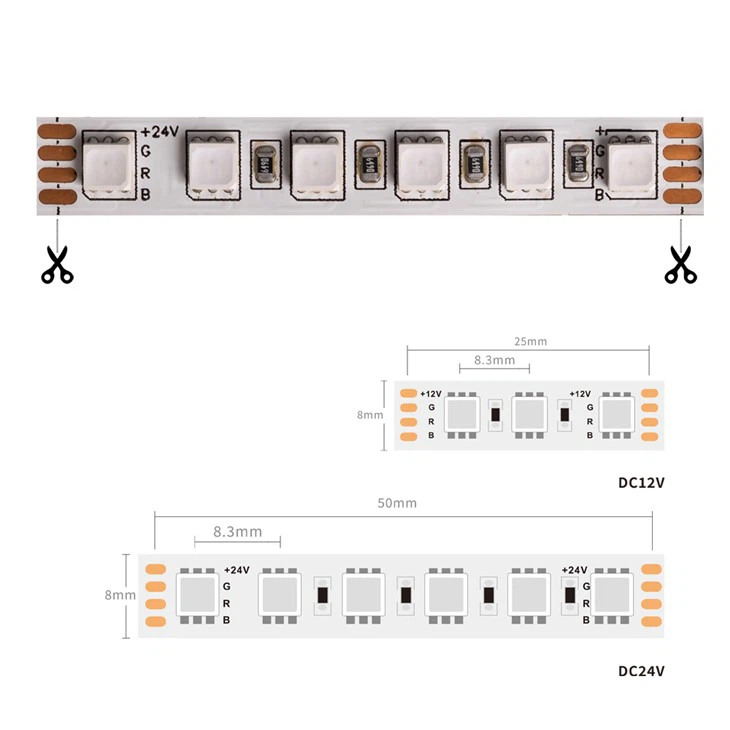
RGB LED strips are a popular lighting solution known for their versatility and ability to create dynamic lighting effects. However, it can be frustrating when your RGB LED strip fails to change colors as expected. As a supplier of high - quality RGB LED strips, including RGBW LED Strip, 3838 RGB LED Strip, and RGB LED Strip 120 LED, I've encountered various issues with these products and have learned how to troubleshoot them effectively. In this blog post, I'll share some common causes and solutions for an RGB LED strip that is not changing colors.
1. Check the Power Supply
One of the most common reasons for an RGB LED strip not changing colors is a problem with the power supply. RGB LED strips require a stable and appropriate power source to function correctly.
- Insufficient Power: RGB LED strips consume a certain amount of power, especially when displaying bright colors or complex lighting effects. If the power supply cannot provide enough power, the LED strip may not change colors properly or may even stop working altogether. Check the power rating of your LED strip and make sure the power supply can meet its requirements. For example, if your LED strip has a power consumption of 10 watts per meter and you have a 5 - meter strip, you need a power supply that can provide at least 50 watts.
- Loose Connections: A loose connection between the power supply and the LED strip can also cause problems. Ensure that the power cables are securely plugged into both the power supply and the LED strip. If possible, check the terminals for any signs of corrosion or damage and clean them if necessary.
2. Examine the Controller
The controller is responsible for sending signals to the RGB LED strip to change colors and lighting effects. If the controller is not working correctly, the LED strip may not respond as expected.
- Battery Issues: If your controller is battery - powered, low or dead batteries can cause problems. Replace the batteries with fresh ones and see if the LED strip starts changing colors.
- Signal Interference: Sometimes, other electronic devices in the vicinity can interfere with the signal between the controller and the LED strip. Try moving the controller and the LED strip away from other electronic devices such as routers, TVs, or microwave ovens. You can also try changing the channel on the controller if it has this feature to avoid interference.
- Programming Errors: Incorrect programming of the controller can lead to the LED strip not changing colors properly. Refer to the user manual of your controller to ensure that it is programmed correctly. You may need to reset the controller to its default settings and reprogram it step by step.
3. Look for Physical Damage
Physical damage to the RGB LED strip or its components can also prevent it from changing colors.
- Cut or Damaged Wires: Check the wires of the LED strip for any cuts, breaks, or frayed areas. If you find any damaged wires, you can try to repair them using electrical tape or solder. However, if the damage is severe, you may need to replace the affected section of the LED strip.
- Burnt LEDs: In some cases, individual LEDs on the strip may be burnt out. Look for any LEDs that are not lighting up or are emitting a different color than the others. If you find a burnt LED, you can try to replace it if your LED strip is modular. Otherwise, you may need to replace the entire strip.
4. Check the Data Cable
Many RGB LED strips use a data cable to receive signals from the controller. A faulty data cable can cause communication problems between the controller and the LED strip.
- Damaged Cable: Inspect the data cable for any signs of damage, such as cuts, kinks, or bent pins. If the cable is damaged, replace it with a new one.
- Incorrect Connection: Make sure the data cable is connected correctly between the controller and the LED strip. Check the pinout of the cable and the connectors to ensure that they match.
5. Software and Firmware Updates
Some advanced RGB LED strip controllers may require software or firmware updates to function correctly.
- Check for Updates: Visit the manufacturer's website and check if there are any available updates for your controller. Follow the instructions provided to download and install the updates. This can sometimes fix bugs or compatibility issues that may be causing the LED strip not to change colors.
6. Environmental Factors
Environmental factors can also affect the performance of RGB LED strips.
- High Temperature: Excessive heat can damage the LEDs and the electronic components of the strip, leading to color - changing issues. Make sure the LED strip is installed in a well - ventilated area and away from heat sources such as heaters or direct sunlight.
- Humidity: High humidity can cause corrosion and short - circuits in the LED strip. Avoid installing the LED strip in areas with high humidity, such as bathrooms or basements, unless it is specifically designed for such environments.
In conclusion, troubleshooting an RGB LED strip that is not changing colors requires a systematic approach. By checking the power supply, controller, physical components, data cable, software, and environmental factors, you can often identify and fix the problem. As a supplier of RGB LED strips, I am committed to providing high - quality products and excellent customer support. If you have any further questions or need assistance with your RGB LED strip, please feel free to contact us for more information and to discuss your procurement needs. We look forward to working with you to create the perfect lighting solutions for your projects.
References
- "LED Lighting Handbook" - A comprehensive guide on LED lighting technology and troubleshooting.
- Manufacturer's user manuals for RGB LED strips and controllers.
