

How do I synchronize multiple RGB LED Strips 120 LED?
Thu 17,2025
Leave a message
Synchronizing multiple RGB LED Strips 120 LED can be a challenging yet rewarding task, especially when you're aiming for a cohesive and visually stunning lighting display. As a supplier of RGB LED Strip 120 LED, I've encountered numerous customers seeking guidance on this very topic. In this blog post, I'll share some insights and practical methods to help you achieve seamless synchronization for your multiple LED strips.
Understanding the Basics of RGB LED Strips 120 LED
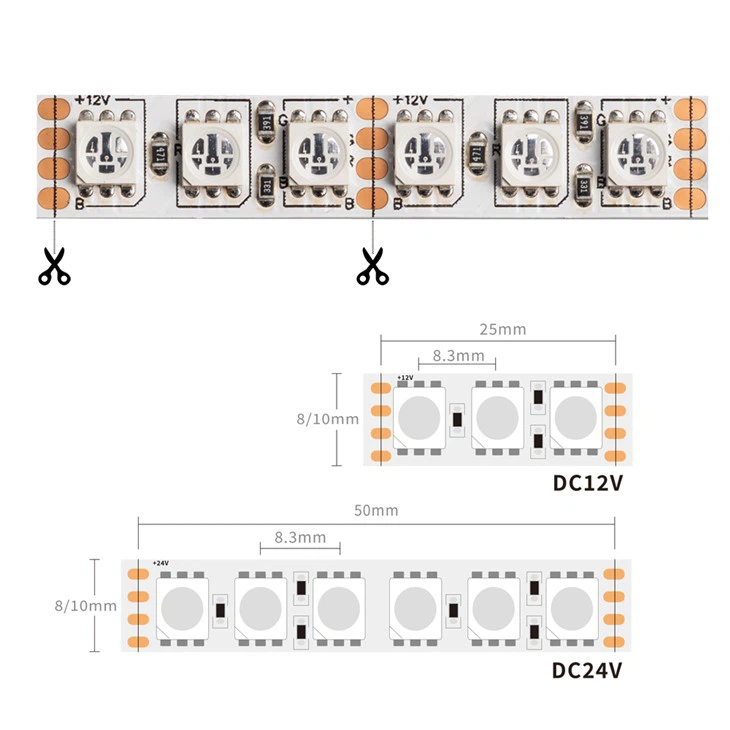
Before delving into synchronization techniques, it's essential to understand what RGB LED Strip 120 LED is. These LED strips are equipped with 120 individual RGB LEDs per meter, offering high - density lighting. The RGB (Red, Green, Blue) technology allows for a vast spectrum of colors to be created by mixing these primary colors in different intensities. This high - density design provides a more uniform and vibrant lighting effect compared to strips with lower LED counts.
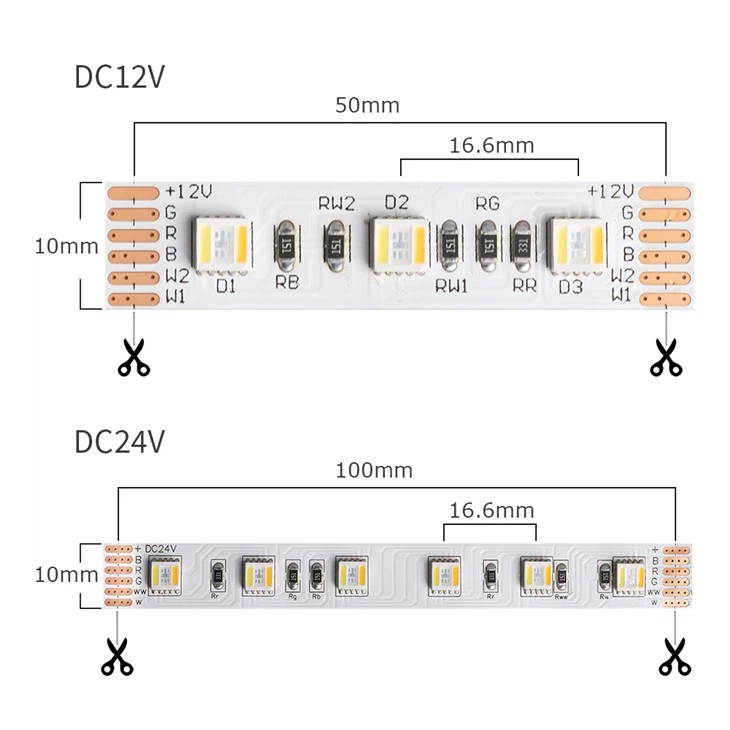
If you're interested in exploring other types of LED strips, we also offer RGBWW LED Strip and RGBW LED Strip, which provide additional white light options for more nuanced lighting designs.
Why Synchronize Multiple RGB LED Strips 120 LED?
There are several reasons why you might want to synchronize multiple RGB LED strips. For instance, in large - scale installations such as stage lighting, architectural lighting, or home theater setups, synchronized LED strips can create a more immersive and dynamic lighting experience. It ensures that all the strips change colors and effects simultaneously, eliminating any discrepancies that could disrupt the overall visual appeal.
Methods for Synchronizing Multiple RGB LED Strips 120 LED
1. Using a Centralized Controller
One of the most common and reliable methods is to use a centralized controller. A good - quality controller can send the same control signals to all connected LED strips, ensuring they operate in sync. When choosing a controller, make sure it is compatible with your RGB LED Strip 120 LED. Look for features such as a wide range of color options, different lighting effects (e.g., fade, strobe, flash), and the ability to adjust brightness.
Most modern controllers come with a user - friendly interface, either through a remote control or a mobile app. This allows you to easily select the desired color and effects for all your LED strips at once. For example, if you're creating a party atmosphere, you can use the strobe effect across all the strips to create a pulsating and energetic lighting display.
2. Daisy - Chaining the LED Strips
Daisy - chaining is another effective way to synchronize multiple RGB LED strips. This involves connecting the output of one LED strip to the input of the next strip in a series. When you send control signals to the first strip in the chain, they will be passed along to the subsequent strips, ensuring they all receive the same instructions.
However, there are some limitations to daisy - chaining. The length of the chain can affect the signal strength. As the signal travels through each strip, it may weaken, leading to potential synchronization issues. To mitigate this, it's recommended to limit the number of strips in a single chain and use signal boosters if necessary.
3. Wireless Synchronization
Wireless synchronization is becoming increasingly popular due to its convenience and flexibility. With wireless technology, you can control multiple LED strips without the need for extensive wiring. Many wireless controllers use Bluetooth or Wi - Fi to communicate with the LED strips.
The advantage of wireless synchronization is that it allows for easy installation, especially in hard - to - reach areas or when you need to change the layout of the LED strips frequently. You can also control the strips from a distance using your smartphone or other smart devices. However, wireless signals can be affected by interference from other electronic devices, so it's important to ensure a stable wireless environment.
Considerations for Successful Synchronization
1. Power Supply
A stable and adequate power supply is crucial for the proper synchronization of RGB LED Strips 120 LED. Insufficient power can cause the strips to flicker or not change colors in sync. Calculate the total power consumption of all your LED strips and choose a power supply that can provide enough wattage. It's also a good idea to use a regulated power supply to ensure a consistent voltage output.
2. Signal Integrity
As mentioned earlier, the strength and integrity of the control signals are essential for synchronization. Use high - quality cables to connect the LED strips and the controller. Avoid long cable runs that can cause signal degradation. If necessary, use signal amplifiers or repeaters to boost the signal strength.
3. Compatibility
Ensure that all the components, including the LED strips, controller, and power supply, are compatible with each other. Check the specifications of each product to make sure they support the same communication protocols and voltage requirements. Using incompatible components can lead to synchronization problems and may even damage the LED strips.
Troubleshooting Synchronization Issues
Even with careful planning, you may encounter some synchronization issues. Here are some common problems and their solutions:
1. Color Discrepancies
If you notice that some of the LED strips are showing different colors than others, it could be due to a signal issue or a problem with the individual LEDs. Check the connections between the strips and the controller to ensure they are secure. You can also try resetting the controller and the LED strips to their default settings.
2. Flickering
Flickering can be caused by an unstable power supply or a problem with the signal. Check the power supply voltage and make sure it is within the recommended range. If the problem persists, there may be an issue with the controller or the LED strips themselves. Contact the manufacturer for further assistance.
3. Delayed Response
A delayed response in synchronization can occur if the signal is weak or if there is interference. Try shortening the cable runs or using a signal booster. If you're using wireless synchronization, move the controller closer to the LED strips or eliminate any sources of interference.
Conclusion
Synchronizing multiple RGB LED Strips 120 LED is a complex but achievable task. By understanding the basics of the LED strips, choosing the right synchronization method, and considering the important factors such as power supply and signal integrity, you can create a beautiful and synchronized lighting display.
If you're interested in purchasing RGB LED Strip 120 LED or need more advice on synchronization, feel free to contact us. We're here to help you bring your lighting ideas to life.
References
- "LED Lighting Handbook" - A comprehensive guide on LED lighting technology and applications.
- Manufacturer's documentation for RGB LED Strip 120 LED and related controllers.
