

How to dim a Pixel LED Strip?
Wed 17,2025
Leave a message
Hey there! As a supplier of Pixel LED Strips, I've had my fair share of questions from customers, and one that pops up quite often is "How to dim a Pixel LED Strip?" Well, you're in the right place because I'm gonna break it down for you in this blog.
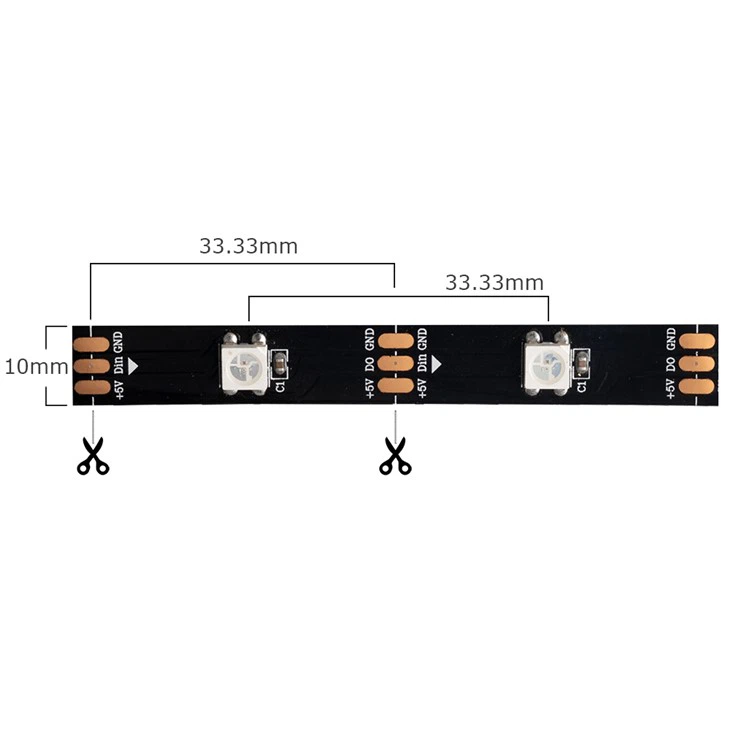
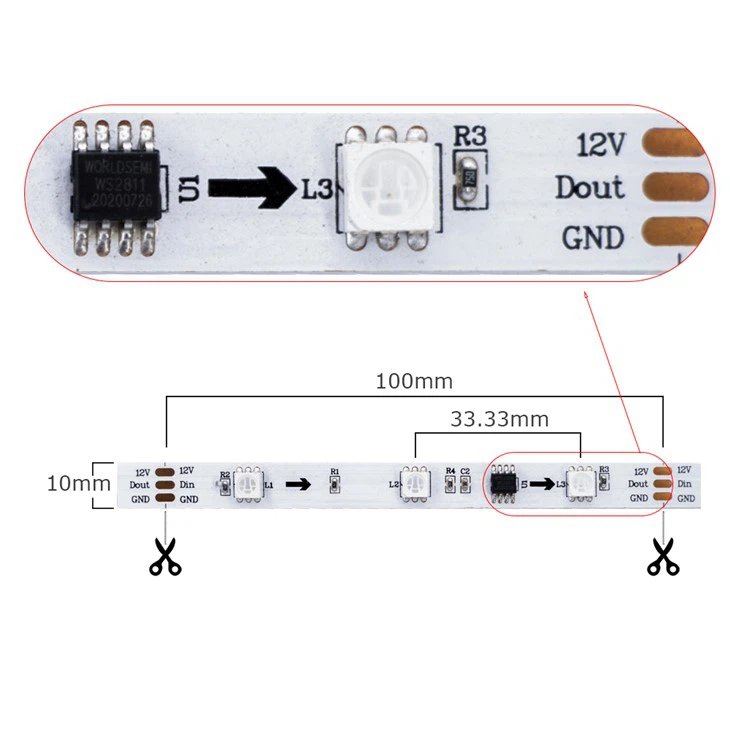
First off, let's understand what Pixel LED Strips are. They're pretty cool pieces of tech. Each LED on the strip is individually addressable, which means you can control the color and brightness of every single one. This gives you a ton of flexibility when it comes to creating different lighting effects. We've got different types of Pixel LED Strips in our catalog, like the IC 5V LED Strip, the WS2811 RGB LED Strip, and the SPI RGB Strip 60leds Per Meter Addressable RGB Led Strip.
Now, let's get into the nitty - gritty of dimming these strips. There are a few different methods you can use, and I'll go through each one.
Using a PWM Controller
One of the most common ways to dim a Pixel LED Strip is by using a Pulse - Width Modulation (PWM) controller. PWM works by rapidly turning the LEDs on and off at a high frequency. The amount of time the LEDs are on compared to the time they're off determines the perceived brightness.
To use a PWM controller with your Pixel LED Strip, you'll first need to make sure the controller is compatible with your strip. Most of our Pixel LED Strips can work with standard PWM controllers. Connect the power supply to the controller, and then connect the output of the controller to the power input of the LED strip. You'll also need to connect the data line from the controller to the data input of the strip.
Once everything is connected, you can adjust the dimming level using the controls on the PWM controller. Some controllers come with a simple potentiometer that you can turn to increase or decrease the brightness. Others might have a digital display and buttons for more precise control.
Software - Based Dimming
If you're a tech - savvy person or you want more advanced control over your Pixel LED Strip, software - based dimming is a great option. Many of our Pixel LED Strips can be controlled using software libraries. For example, if you're using an Arduino board, there are libraries like the FastLED library that allow you to control the brightness of each LED on the strip.
Here's a basic example of how you can use the FastLED library to dim an LED strip:
#include#define LED_PIN     5
#define NUM_LEDS    60
CRGB leds[NUM_LEDS];

void setup() {
  FastLED.addLeds(leds, NUM_LEDS);
}

void loop() {
  for(int i = 0; i < NUM_LEDS; i++) {
    leds[i] = CRGB::White;
  }
  // Set the brightness (0 - 255)
  FastLED.setBrightness(128);
  FastLED.show();
  delay(1000);
}
In this code, we first include the FastLED library and define the LED pin and the number of LEDs on the strip. In the setup function, we add the LEDs to the FastLED system. In the loop function, we set all the LEDs to white and then use the setBrightness function to set the brightness level to 128 (out of a possible 255). You can adjust this value to change the brightness of the strip.
Using a Remote Control
Another convenient way to dim a Pixel LED Strip is by using a remote control. Many of our Pixel LED Strips come with a remote control that allows you to adjust the brightness, color, and other settings.
The remote control usually communicates with a receiver that's connected to the LED strip. When you press the brightness up or down buttons on the remote, the receiver sends a signal to the strip to adjust the brightness accordingly.
This method is great for those who want an easy - to - use solution without having to deal with complicated wiring or programming.
Things to Keep in Mind
When dimming your Pixel LED Strip, there are a few things you should keep in mind. First, make sure you're using the right power supply. If the power supply can't provide enough power, the strip might not dim properly or could even get damaged.
Also, be careful when handling the strips. The LEDs are delicate, and any physical damage could affect their performance. And if you're using software - based dimming, make sure your programming skills are up to par or follow the tutorials carefully.
Why Choose Our Pixel LED Strips for Dimming
Our Pixel LED Strips are designed to be easy to dim. Whether you're using a PWM controller, software, or a remote control, you'll find that they respond well to different dimming methods. We've also made sure that the color accuracy remains high even when the strip is dimmed.
Our IC 5V LED Strip is a great choice for low - power applications where you might want to dim the lights. The WS2811 RGB LED Strip is known for its reliability and smooth dimming performance. And the SPI RGB Strip 60leds Per Meter Addressable RGB Led Strip offers high - density lighting and excellent dimming capabilities.
Conclusion
Dimming a Pixel LED Strip isn't as complicated as it might seem. You've got several options at your disposal, whether it's using a PWM controller, software - based dimming, or a remote control. Each method has its own advantages, and the choice depends on your specific needs and preferences.
If you're interested in purchasing our Pixel LED Strips for your next lighting project, we'd love to hear from you. Whether you're a DIY enthusiast or a professional lighting designer, our products can meet your requirements. Just reach out to us to start a procurement discussion, and we'll be happy to help you find the perfect Pixel LED Strip for your needs.
References
- FastLED Library Documentation
- LED Lighting Basics Guides
