

How to adjust the brightness of ZIG - ZAG LED Strips?
Fri 03,2025
Leave a message
Adjusting the brightness of ZIG - ZAG LED Strips can significantly enhance the ambiance of any space, whether it's for a cozy home setting or a vibrant commercial environment. As a ZIG - ZAG LED Strip supplier, I understand the importance of providing customers with clear guidance on how to achieve the perfect lighting levels. In this blog, I'll walk you through the various methods to adjust the brightness of these unique LED strips.
Understanding ZIG - ZAG LED Strips
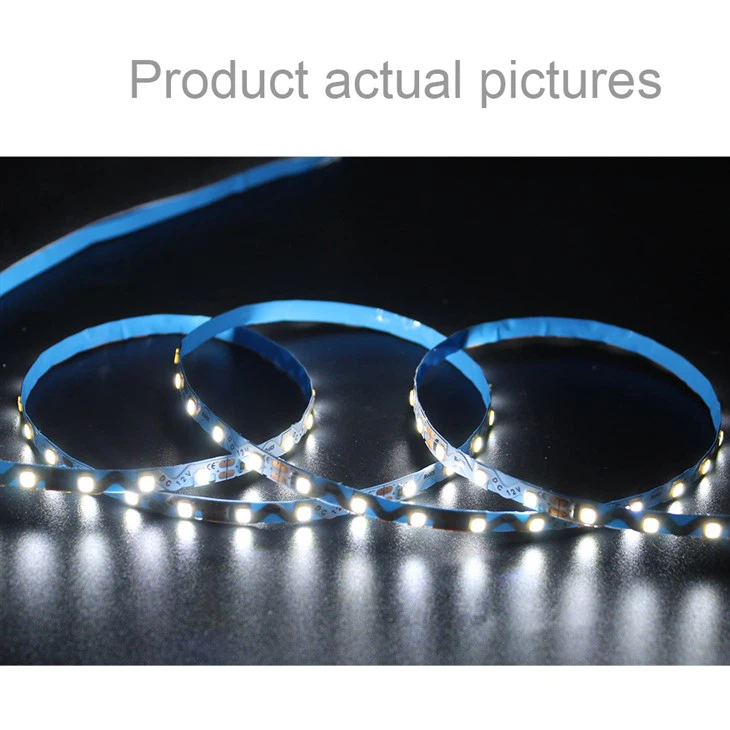
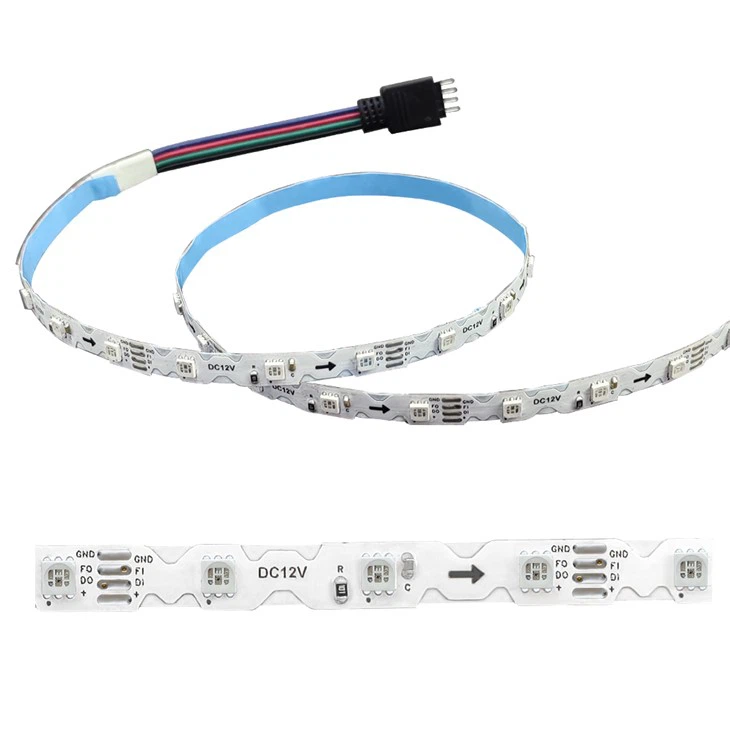
ZIG - ZAG LED Strips come in different forms, such as the S-shaped LED Light Strip and the Wavy LED Light Strip. These strips are designed with a zig - zag pattern, which not only adds a decorative element but also distributes light in a more interesting way compared to traditional straight LED strips. The SPI RGB ZIG ZAG STRIP offers the additional feature of RGB color control, allowing for a wide range of lighting effects.
Methods to Adjust Brightness
1. Using a Dimmer Switch
One of the most common and straightforward ways to adjust the brightness of ZIG - ZAG LED Strips is by using a dimmer switch. A dimmer switch works by regulating the amount of electrical current flowing to the LED strips. When you turn the dimmer switch down, it reduces the current, which in turn decreases the brightness of the LEDs. Conversely, turning the switch up increases the current and brightens the strips.
There are different types of dimmer switches available in the market. Some are designed specifically for LED lighting, while others are more general - purpose. It's important to choose a dimmer switch that is compatible with your ZIG - ZAG LED Strips. Check the specifications of both the dimmer switch and the LED strips to ensure they can work together properly.
When installing a dimmer switch, make sure to follow the manufacturer's instructions carefully. Usually, you'll need to connect the dimmer switch between the power source and the LED strips. This may involve some basic electrical wiring, so if you're not comfortable with electrical work, it's advisable to hire a professional electrician.
2. Through a Smart Controller
In the era of smart home technology, using a smart controller to adjust the brightness of ZIG - ZAG LED Strips has become increasingly popular. A smart controller allows you to control the LED strips remotely using your smartphone, tablet, or other smart devices.
Many smart controllers come with dedicated apps that you can download onto your mobile device. These apps provide an intuitive interface where you can easily adjust the brightness of the LED strips with just a few taps on the screen. Some smart controllers also support voice control, which means you can use voice commands to change the brightness.
For example, if you have a Google Home or Amazon Echo device, you can integrate it with the smart controller of your ZIG - ZAG LED Strips. Then, you can simply say, "Set the brightness of the LED strips to 50%" and the controller will adjust the brightness accordingly.
Smart controllers often offer additional features such as color changing (for RGB LED strips), scheduling, and scene setting. You can create different lighting scenes for different occasions, like a romantic dinner scene with dimmed, warm - colored lights or a party scene with bright, colorful lights.
3. Built - in Brightness Settings (for Some Models)
Some ZIG - ZAG LED Strips come with built - in brightness settings. These strips are usually equipped with a control box or a remote control that allows you to adjust the brightness directly. The control box or remote may have buttons or a touch - sensitive panel for easy operation.
For instance, you can press the "+" and "-" buttons on the remote to increase or decrease the brightness. Some advanced models may even have a memory function, which means you can save your preferred brightness levels and recall them later.
Factors to Consider When Adjusting Brightness
1. Power Consumption
When you adjust the brightness of ZIG - ZAG LED Strips, it also affects the power consumption. Lowering the brightness reduces the amount of power the LED strips consume, which can lead to energy savings. This is especially important if you plan to use the LED strips for long periods or in large quantities.
However, it's important to note that the relationship between brightness and power consumption is not always linear. Some LED strips may have a more efficient power - to - brightness ratio at certain brightness levels. So, it's a good idea to check the power consumption specifications of your LED strips at different brightness settings.
2. Color Temperature
In addition to brightness, the color temperature of the LED strips can also be affected by the brightness adjustment. Color temperature is measured in Kelvin (K) and determines the color appearance of the light. Lower color temperatures (around 2700K - 3000K) produce warm, yellowish light, while higher color temperatures (around 5000K - 6500K) produce cool, bluish - white light.
When you adjust the brightness of some LED strips, the color temperature may shift slightly. This is more noticeable in some RGB LED strips. If you want to maintain a consistent color temperature while adjusting the brightness, make sure to choose LED strips that have good color stability over a wide range of brightness levels.
3. Compatibility
As mentioned earlier, compatibility is a crucial factor when adjusting the brightness of ZIG - ZAG LED Strips. Whether you're using a dimmer switch or a smart controller, it must be compatible with the LED strips. Incompatible devices may cause issues such as flickering, buzzing, or even damage to the LED strips.
Always check the product specifications and compatibility lists provided by the manufacturers. If you're unsure about the compatibility, you can contact our customer support team for assistance.
Troubleshooting Brightness Adjustment Issues
1. Flickering
If you notice that your ZIG - ZAG LED Strips are flickering when you try to adjust the brightness, it could be due to several reasons. One common cause is an incompatible dimmer switch. As mentioned before, make sure the dimmer switch is designed for LED lighting and is compatible with your LED strips.
Another possible reason for flickering is a loose connection. Check all the connections between the power source, the dimmer switch (if used), and the LED strips. Make sure the wires are properly connected and there are no loose or frayed ends.
2. Inconsistent Brightness
Inconsistent brightness across the ZIG - ZAG LED Strips may be caused by uneven power distribution. This could be due to a problem with the wiring or the power supply. Check if all the sections of the LED strips are receiving the same amount of power. If not, you may need to adjust the wiring or replace the power supply.
3. No Brightness Adjustment
If you're unable to adjust the brightness at all, first check if the dimmer switch or smart controller is working properly. Try testing the dimmer switch or controller with another compatible LED light source to see if it functions correctly. If the problem persists, it could be an issue with the LED strips themselves. Contact our technical support team, and we'll help you diagnose and solve the problem.
Conclusion
Adjusting the brightness of ZIG - ZAG LED Strips is a simple yet effective way to create the perfect lighting environment for your space. Whether you choose to use a dimmer switch, a smart controller, or other methods, there are plenty of options available to suit your needs.
As a ZIG - ZAG LED Strip supplier, we're committed to providing high - quality products and excellent customer service. If you have any questions about adjusting the brightness of our LED strips or need help with product selection, don't hesitate to contact us. We're here to assist you in making the most of your ZIG - ZAG LED lighting experience.
If you're interested in purchasing our ZIG - ZAG LED Strips or have any procurement - related inquiries, please reach out to us. We look forward to discussing your lighting needs and providing you with the best solutions.
References
- General knowledge about LED lighting technology
- Product specifications of ZIG - ZAG LED Strips and related accessories
- Industry standards and best practices for LED lighting installation and control
